Class scheduling software for studios
MyStudio's studio scheduling software is built for recurring classes, instructor rotations, and parent-friendly booking. Everything a martial arts school or enrichment center actually needs.
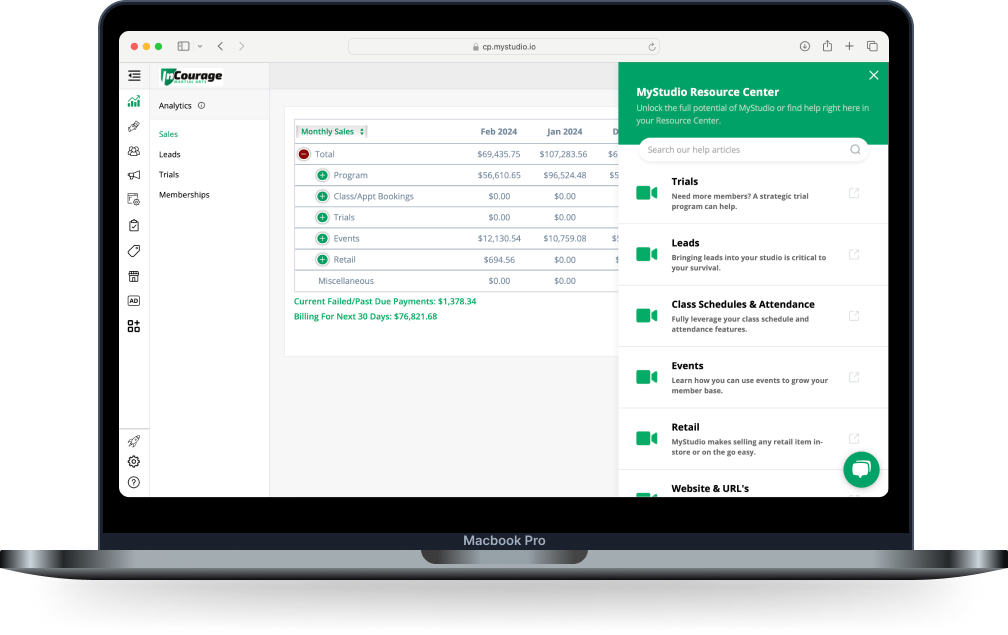
Class scheduling software built for recurring classes.
Generic studio scheduling software was built for appointments. Your studio runs on recurring weekly classes, rotating instructors, limited mat space, and parents who book and cancel on their own. MyStudio's class scheduling software is built for that: set your schedule once, and it updates everywhere instantly.
What MyStudio’s class scheduling software includes
MyStudio handles the scheduling complexity generic tools can't, so you can focus on what you opened your studio to do.

Recurring class management
Build your weekly schedule once — class names, times, rooms, age groups. Change it in one place and it updates everywhere.
Accurate everywhere, no admin work.

Studio booking software for families
View the schedule, filter by program or age, and book from your website or the app. No account required to browse.
Parents self-serve, you wake up to bookings.

Instructor & room assignment
Assign instructors and set room or mat capacity so you never overbook. Track availability and build rotations, substitutes included.
Instructors know where to be.

Software for enrichment program scheduling and sign-ups
Summer camps, after-school programs, and multi-week sessions, with multiple date ranges, session-based registration, and capacity controls.
Fill camp rosters without a new spreadsheet.

Attendance tracking & check-in
Tablet or QR check-in ties each student to the class on your calendar. See who showed up and how often they attend.
Spot the warning signs early.

Real-time sync across website & app
Every class, event, and schedule change pushes automatically to your public site and the parent app.
One update & you're done. No separate logins.
Set up your class schedule in minutes, not days
Build your class structure
Build your weekly schedule once: class names, times, rooms, age groups. Change it in one place and it updates everywhere.
Assign instructors and set capacity
Attach instructors to each class and set room or mat limits. MyStudio tracks availability so you're never double-booked or over capacity, rotations and substitutions included.
Publish to your website and app
One click and your schedule goes live, synced to your website, member portal, and the MyStudio parent app at once. Families see what's available and book without calling.
Let parents book and check in
Students browse, book, and register straight from your schedule. On class day they check in by QR code, PIN, or tablet kiosk, and attendance logs to their profile automatically.
Track, adjust, and grow
Monitor attendance trends and update your schedule anytime. Changes sync everywhere instantly. Reporting shows which classes are filling fast and which need a time shift.
Your studio scheduling software questions, answered
Real questions from martial arts school owners and enrichment program directors who've been exactly where you are.
What is class scheduling software?
Class scheduling software is a platform built to manage recurring class structures (weekly classes, instructor rotations, room or mat capacity limits, parent-facing booking, and attendance) rather than one-off appointments. For martial arts schools and enrichment programs, it has to handle multiple age groups, program types, and shared studio space without the manual reconciliation that generic appointment scheduling tools force. MyStudio's class scheduling software is built specifically for how studios actually operate.
What is the best scheduling app for studios?
The best scheduling app for studios is one built around how studios actually operate: recurring weekly classes, multiple age groups and programs, instructor rotations, mat or room capacity, and parent self-service booking. It shouldn't be adapted from generic appointment tools like Calendly. MyStudio's scheduling is designed specifically for martial arts schools and enrichment programs. Studios consistently cite the one-platform integration (with billing, membership, and attendance all connected) as the deciding difference from standalone scheduling apps.
How do martial arts schools schedule classes?
Most martial arts schools build a weekly class structure organized by age group and rank (tiger cubs, junior belts, adult sparring) running on a recurring schedule with rotating instructors. The most effective systems handle this complexity automatically: classes published once recur weekly, instructors are assigned with substitutions managed in one view, and parents can book trial classes directly from your website without calling the front desk. MyStudio's class scheduling software is built for exactly this pattern.
Can I manage different class types — like kids' martial arts, adult classes, and summer camps — all in one schedule?
Yes. MyStudio lets you organize your schedule by program type, age group, or session, so you can manage recurring weekly classes alongside seasonal camps and enrichment programs in one place. Students and parents see only the programs relevant to them, while you have a single dashboard view of everything running across your studio.
What happens when I need to change a class time or cancel a session?
Make the update once in MyStudio and it pushes everywhere simultaneously: your website, the parent app, and any booking forms you have live. You don't need to log into multiple systems or manually notify students. You can also trigger automated communication to enrolled members any time a schedule change happens.
Can parents book trial classes and view the schedule without calling me?
Yes, that's one of MyStudio's core differentiators. Prospective families can view your class schedule, see available spots, and book a trial class directly from your website or the MyStudio app without providing any information upfront. Contact details are only collected at the point of signing up, which reduces friction and increases conversions.
Does MyStudio track attendance automatically, or do I still need to take roll manually?
Attendance is tracked digitally through QR code, PIN, or tablet kiosk check-in. When a student checks in, it syncs automatically to their member profile. You can see attendance trends over time, get alerts when students start missing classes, and trigger re-engagement outreach without building a separate tracking system.
Is MyStudio scheduling software only for martial arts schools?
No. While MyStudio was built by martial arts school owners, it also works as scheduling software for gyms and enrichment programs of all types, from kids' coding, STEM, and music to dance and camp-based programs. The scheduling tools are designed to handle the specific patterns of these businesses: recurring weekly classes, session-based programs, shared spaces, and parent-facing booking, not generic appointment scheduling.
You deserve studio scheduling software that actually works
MyStudio brings your class schedule, instructor assignments, parent booking, and attendance tracking into one place and keeps it updated everywhere, automatically.