
Digital waiver software for martial arts studios
With MyStudio, digital waivers are signed at enrollment, stored automatically, and attached to every member record, all in the platform you already use.
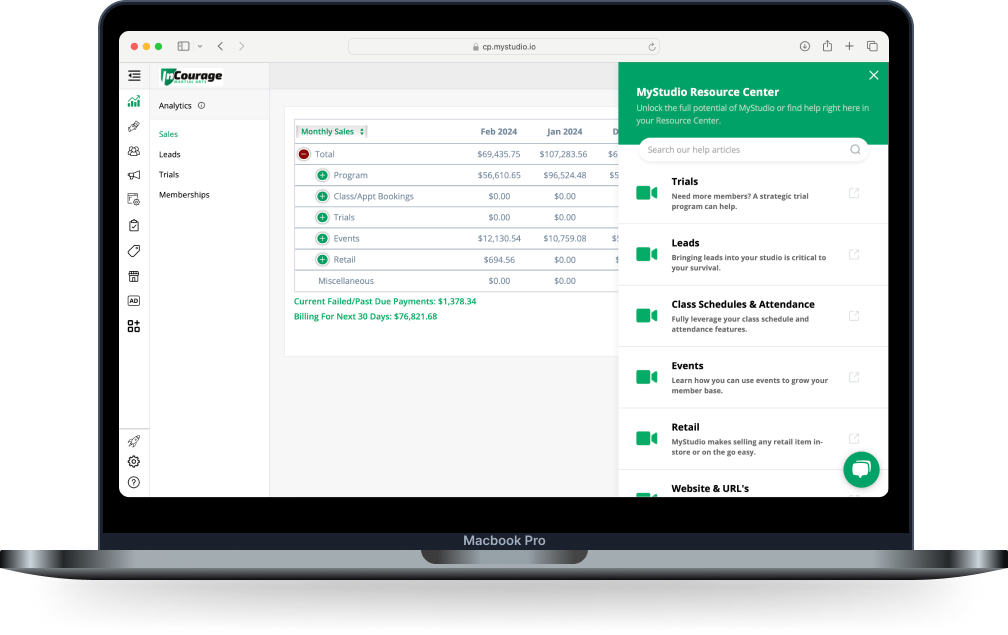
Electronic waivers, built into your studio platform
Sign up, complete the electronic waiver, land in your member records — one step. No third-party account, no file transfers, no chasing missing signatures.
Every digital waiver feature your studio needs, in one place
Built for martial arts schools and enrichment programs. No separate digital waiver software required.

Waiver signed at sign-up
Your digital waiver appears inside enrollment, not as a separate step after. One flow, one session, one place for everything.
New members arrive already signed.

Parent and guardian consent
MyStudio's electronic waivers capture parent or guardian e-signatures for minors. Parents sign on their phone before the first class.
No clipboard at the door.

Legally binding electronic waiver
Signatures are legally binding. Signed digital waivers are timestamped and stored automatically in your membership platform.
Protection without the paper trail.

Storage linked to member profiles
Signed waivers save to each student's profile. No uploading, no manual matching. Pull any document from the member record.
Organized without the manual work.

Custom digital waiver builder
Custom electronic waivers for your studio — school name, programs, liability language, consent terms.
No legal pad, no developer.

Mobile-friendly signing
Parents and students sign from any device. Share the link by text, email, or your website. No app download required.
Fewer incomplete forms, faster first class.
Waiver management for studios in 4 simple steps
Step 1: Build your digital waiver inside MyStudio.
Use the waiver builder to add your school's name, program information, liability language, and parent consent terms. No external tool. No technical setup.
Step 2: Student or parent signs electronically.
When a new student or parent enrolls, they fill out the digital waiver on their device and complete the legally binding e-signature, without any friction or follow-up from your team.
Step 3: Signed waiver links to the member profile automatically.
The moment an electronic waiver is signed, it's stored in MyStudio and linked to that student's member record. No manual filing, no uploading, no second system.
Step 4: Access and export anytime.
Pull up any signed waiver directly from a student's profile. Export documents for audits, insurance, or compliance. Organized and accessible without a separate filing system.
Your digital waiver questions: answered
Everything you need to know about MyStudio's digital waiver management software.
Q: Do I need a separate waiver tool if I use MyStudio?
No. Digital waivers are built directly into MyStudio. You do not need Smartwaiver, WaiverForever, or any standalone waiver software. When a new student or parent enrolls, the waiver is part of the sign-up flow. It is signed, stored, and linked to the member profile automatically. One platform, no third-party waiver app.
Q: Can parents sign waivers for their kids from a phone?
Yes. Parents can sign your digital waiver from any device, including phone, tablet, or desktop. You can share the enrollment link by text, email, or directly through your website. No app download is required. This is especially useful for martial arts schools and enrichment programs where most students are minors and parents handle sign-up.
Q: Are digital waivers legally binding for adults and parents signing for minors?
Yes. MyStudio collects legally binding electronic signatures for both adults and parent or guardian consent for minors. Every signature is timestamped and stored in the platform. If you need to pull documentation for an insurance claim, audit, or compliance review, the signed waiver is accessible directly from the student's profile.
Q: Can I customize the waiver for my specific programs?
Yes. You can build a custom waiver inside MyStudio that reflects your school's name, programs, and liability language. Whether you run a martial arts school, a kids' coding academy, a STEM program, or a multi-program enrichment center, your waiver can be tailored to what your business needs and what your state or insurance provider requires.
Q: What happens to a signed waiver after it is submitted?
It is stored automatically inside MyStudio and linked to the student's member profile. No manual uploading. No paper filing. When you need to find a signed waiver, go to the member record and it is there. You can also export waiver documents when you need them for insurance, audits, or other compliance purposes.
More time on the mat. Less time chasing down unsigned waivers.
MyStudio's digital waiver software gets every new member signed before they walk through your door. Waivers, enrollment, and billing in one place. Get started today.